REC file and Feedback Information
While recording with MooveTaf, information about each recorded file will be saved in a .rec file within the specific rec_data folder, along with the .wav file and the .not.mat file.
This .rec file contains specific information set in the config (see section MooveTaf) as well as information about the song file generated during the recording.
The first line shows the exact date and time point at which the file was created, thus when the bout was saved. This information can change when you crop a file (as described in MooveGUI), the new date will depict the time of cropping.
The pink highlighted part describes the time at which the recording started, begin rec (usually 0 ms). trig time describes the time at which the recording was triggered, which can be set in the config (see section MooveTaf). It describes how much time is included before the recording was triggered. The end of the recording is shown as rec end.
The blue boxes describe general parameters such as the recording frequency ADFREQ (here: 44100Hz), the number of channels Chans (here: 1), the number of recorded Samples (here: 312320) and the time included before (T before, here: 2ms) and after (T after, here: 1ms) recording was triggered, which can be set in the config (see section MooveTaf).
Below in the green box, the lines Hand Segmented and Hand Classified (here: 1) depict whether you ticked the checkboxes for manual segmentation and classification in the MooveGUI for this file (see MooveGUI). Once the checkbox is set, the line will be set to 1 else it is 0.
The yellow boxes depict feedback that was directly generated during the recording and training session. You can check whether the current file was labeled as a catch file during training, and therefore no feedback was given (Catch Song, here: 0 and 1). This will be set to 1 in case of a catch file and 0 in case of non-catch files with information about the feedback if feedback was triggered. The amount of catch trials during recording can be set in the config (see section MooveTaf). In case feedback was given during this song bout, the time points of the feedback will be written below. Furthermore, following the FB # the name of your used feedback file (as given in the config) will be shown, and the number of the template (by default 0).
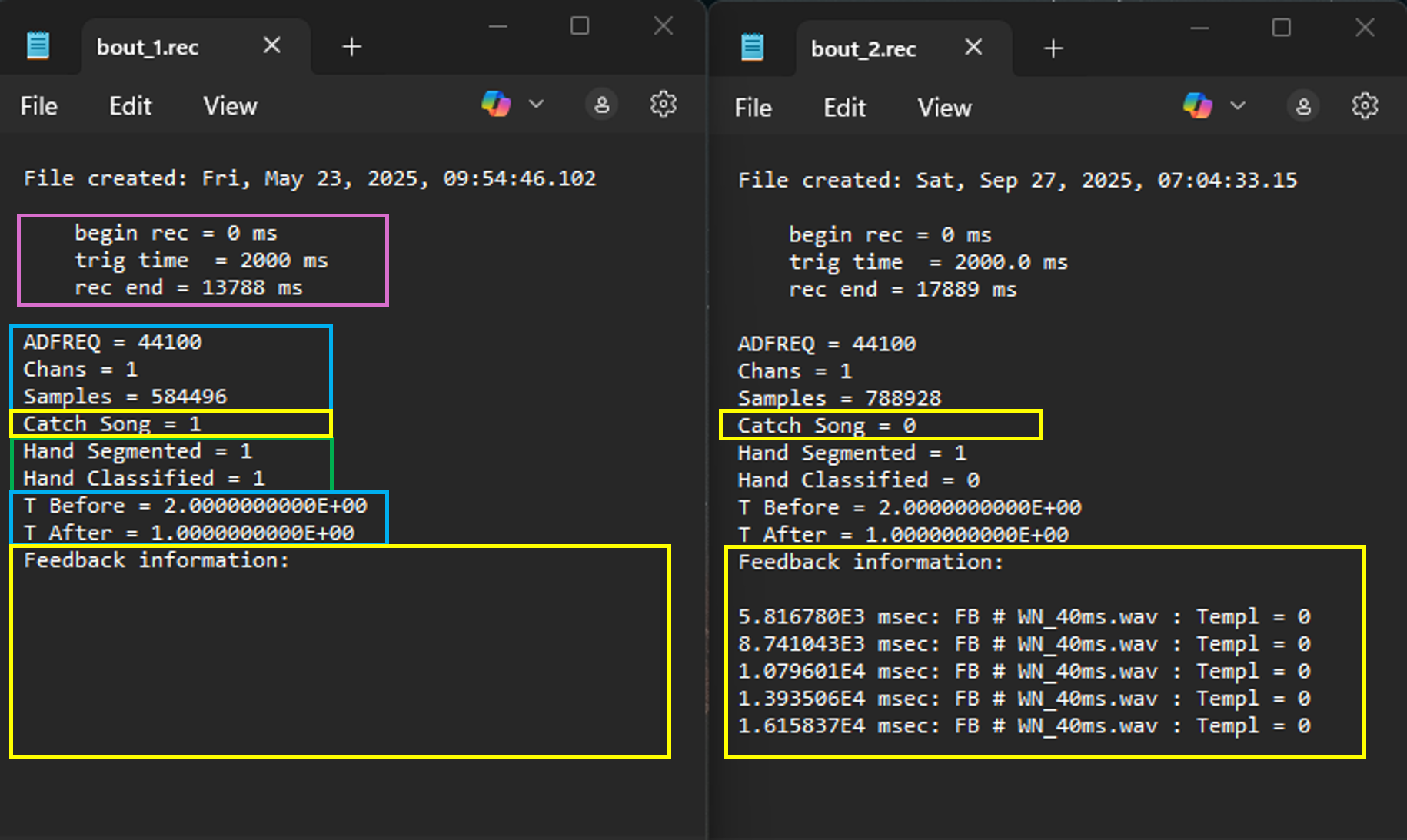
Figure 35 Rec files
The feedback given during the training will also be directly shown when opening the file in the GUI. Catch files will have a red box drawn around the syllable labels, and additionally the word catch will be shown in the upper left above the spectrogram.
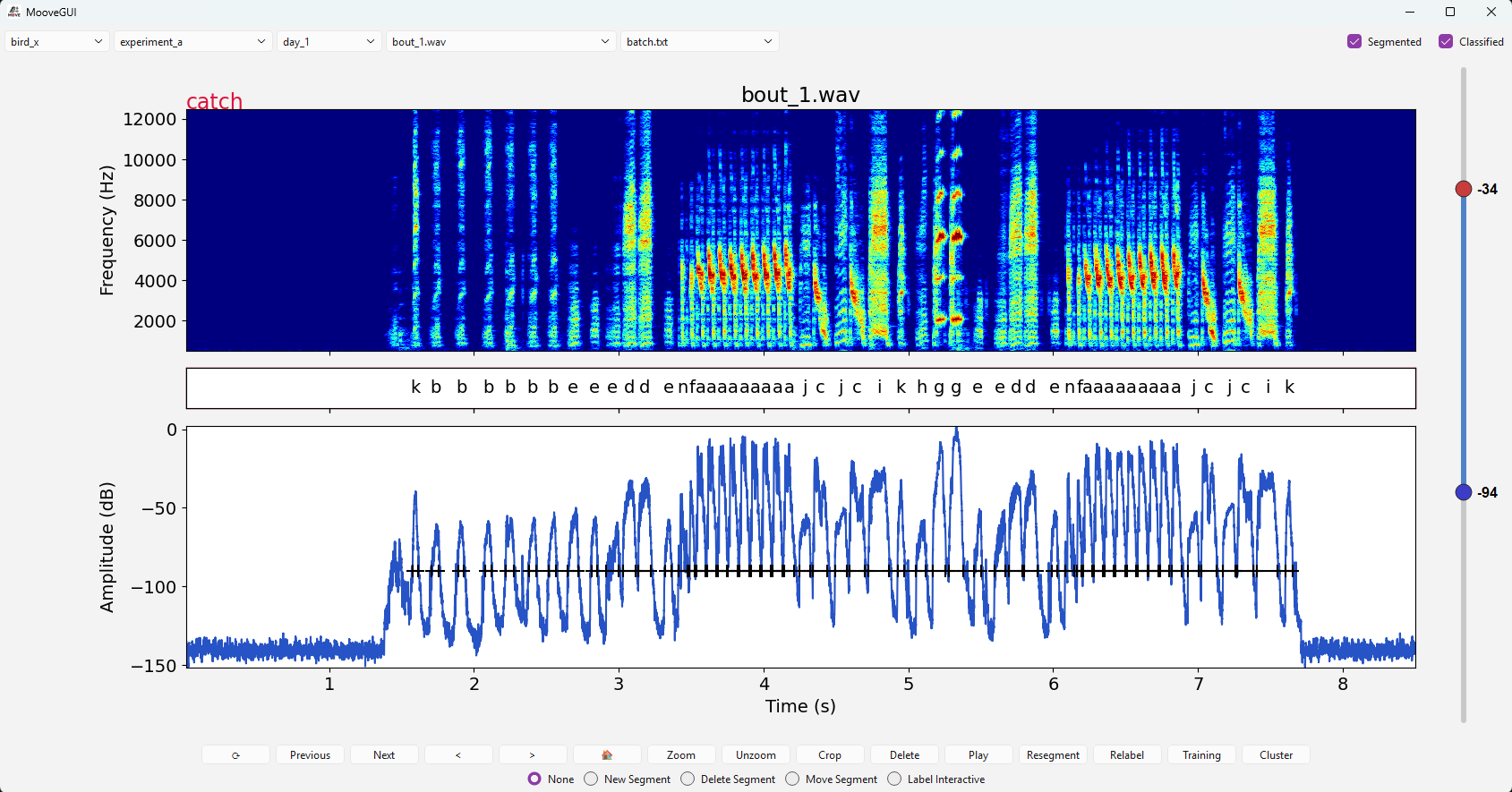
Figure 36 Marking of catch files
In the case of feedback, for example white noise playback, the exact time points of the feedback will be shown as small red triangles below the spectrogram, depicting the exact moment of when the target syllable was detected.
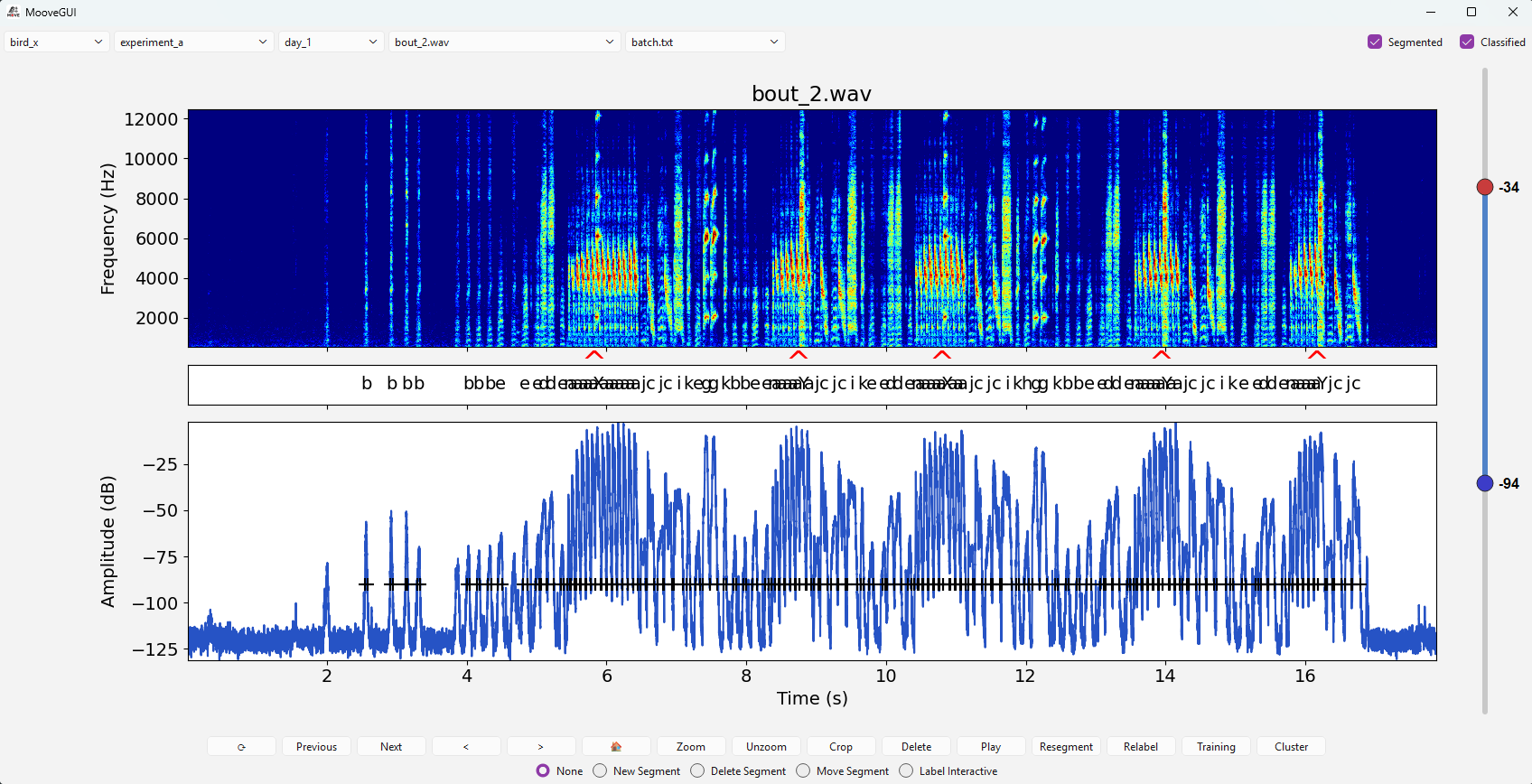
Figure 37 Display of feedback information